




Description
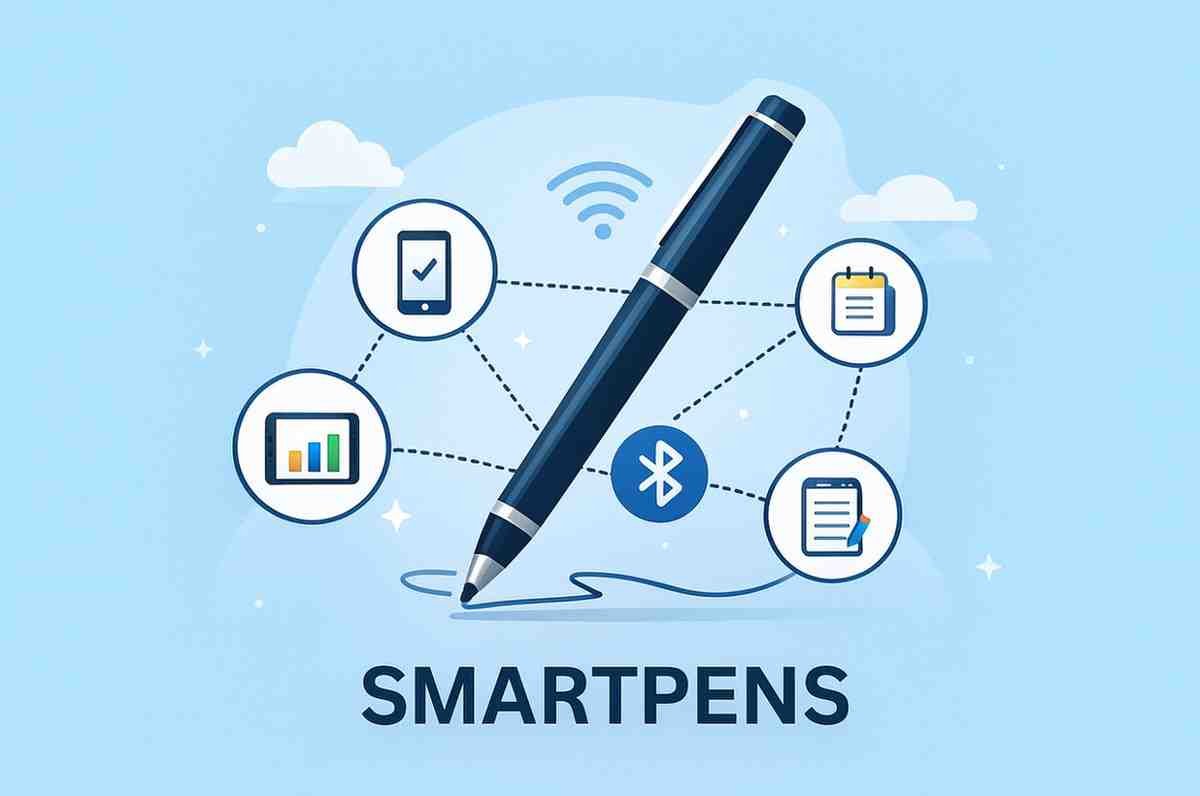
In a world where digital workflows dominate, many people still love the comfort and flow of handwriting. Smartpens bridge that gap by combining the natural feel of writing on paper with the convenience of digital storage, cloud syncing, and real-time conversion. From students and professionals to creatives and researchers, smartpens are becoming essential productivity tools.
This comprehensive review explores what smartpens are, how they work, key features, different types, best brands, their strengths and limitations, pricing, and whether they are worth buying.
⭐ What Are Smartpens?
Smartpens are technology-enhanced writing instruments that digitize your handwriting as you write on paper. They can capture notes, drawings, annotations, and even audio, then sync them to cloud platforms or smart devices.
Depending on the pen, smartpens can:
-
Digitize handwriting in real time
-
Convert handwriting to text
-
Record audio that syncs with written notes
-
Transfer notes to mobile/computer apps
-
Work on normal paper or special dot-patterned pages
They combine handwritten creativity with digital efficiency.
⭐ How Do Smartpens Work?
Smartpens use a mix of hardware and software, such as:
1. Cameras/Sensors
Tiny infrared cameras capture pen strokes as you write.
2. Pressure & Motion Sensors
Track movement, pressure, and angle for precise digitization.
3. Bluetooth or Wi-Fi
Sync notes to mobile apps, laptops, or cloud services.
4. Special Dot Paper (Some Models)
Dot patterns allow pens to track coordinates accurately.
5. Mobile App Integration
Apps process the captured ink and provide features such as:
-
OCR (handwriting-to-text)
-
PDF export
-
Cloud backup
-
Organization and tagging
-
Sharing tools
Together, they create a seamless digital handwriting experience.
⭐ Types of Smartpens
1. Optical Smartpens (Camera-Based)
These pens use a built-in camera that reads micro-dot patterns on paper.
Examples: Livescribe, Neo Smartpen.
Pros: Accurate real-time capture
Cons: Requires special notebooks
2. Bluetooth Digital Pens
These capture strokes and sync them via Bluetooth.
Examples: Wacom Bamboo Slate, Moleskine Smart Writing System.
Pros: Smooth writing, great precision
Cons: Requires a writing surface or pad
3. Stylus-Based Smartpens (For Tablets)
Used with digital tablets like iPad, reMarkable, Boox, Samsung Tablets.
Examples: Apple Pencil, S Pen.
Pros: Perfect for digital artists, low latency
Cons: No traditional paper feel
4. Hybrid Smartpens
Work both on paper and digital surfaces, combining sensors + IR camera.
Example: Staedtler Digital Pen.
⭐ Key Features of Smartpens
1. Real-Time Digitization
Your handwritten notes instantly appear in the connected app.
Great for:
-
Classroom notes
-
Business meetings
-
Sketches and diagrams
-
Brainstorming sessions
2. Handwriting-to-Text Conversion (OCR)
Most smartpens offer OCR to convert handwriting into editable text.
OCR helps you:
-
Turn notes into documents
-
Copy text into emails, reports, or assignments
-
Keep your notes searchable
Accuracy depends on handwriting clarity and the app used.
3. Audio Recording + Note Sync
Some pens (like Livescribe) record audio while you write and sync it to specific notes.
Perfect for:
-
Lectures
-
Interviews
-
Client meetings
-
Research work
You can tap a word in your notes to hear the audio spoken at that moment.
4. Cloud Storage & Backup
Most smartpens sync notes to:
-
Google Drive
-
OneNote
-
Evernote
-
Dropbox
-
iCloud
-
Notion (via export)
Your handwritten notes stay safe, searchable, and accessible anywhere.
5. Multi-Format Export
Export notes as:
-
PDF
-
PNG/JPG
-
TXT
-
SVG (vector)
-
Audio-synced notebooks
Useful for sharing with teams, collaborating, and archiving.
6. Sketching & Drawing Support
Smartpens capture fine lines and pressure, making them ideal for:
-
Creators
-
Architects
-
Designers
-
UX sketching
7. Organization Tools
Apps offer:
-
Folders
-
Tags
-
Search
-
Smart indexing
-
Color coding
This keeps notes structured and easy to find.
🎯 Who Should Use Smartpens?
Smartpens are ideal for:
✔ Students
Take notes faster, record lectures, digitize study material.
✔ Working Professionals
Perfect for client meetings, brainstorming, interviews, and presentations.
✔ Writers & Journalers
Capture ideas quickly and sync them for later editing.
✔ Designers & Creators
Sketch concepts and export them to digital design tools.
✔ Productivity Enthusiasts
Combine analog note-taking with digital efficiency.
💡 Advantages of Smartpens
1. Natural Writing Experience
No typing required — write as you always have.
2. Real-Time Digital Backup
Never lose notes again.
3. Perfect for Hybrid Workflows
Write offline, sync online whenever needed.
4. Enhances Productivity
Convert, organize, search, tag, and share notes easily.
5. Great for Learning & Memory
Studies show handwriting improves retention better than typing.
6. Excellent for Audio-Synced Notes
Ideal for students and researchers.
⚠️ Limitations of Smartpens
1. Price Can Be High
Premium models are costly.
2. Requires Learning
New users may need time to understand app syncing and OCR.
3. Some Require Special Paper
Dot paper increases cost.
4. Battery-Dependent
Pens must be charged regularly.
5. OCR Isn’t Always Perfect
Messy handwriting affects accuracy.
💰 Smartpen Pricing Overview
Smartpen prices vary widely:
| Category | Price Range | Example |
|---|---|---|
| Budget Smartpens | Low | Basic Bluetooth pens |
| Mid-Range Smartpens | Moderate | Neo Smartpen, Wacom |
| Premium Smartpens | High | Livescribe, Moleskine Smart Set |
| Stylus Smartpens | Varies | Apple Pencil, S Pen |
| Digital Writing Tablets | Higher | reMarkable, Kindle Scribe |
For most users, mid-range optical smartpens offer the best value.
⭐ Best Smartpen Brands
Here are the top brands in the market:
-
Livescribe Smartpen
-
Neo Smartpen N2 / N3
-
Moleskine Smart Writing Set
-
Wacom Bamboo Slate & Folio
-
Staedtler Noris Digital
-
Apple Pencil (For iPad)
-
Samsung S Pen (For Galaxy Tablets)
-
reMarkable Marker (E-ink)
-
Boox Pen (Onyx Boox tablets)
Each brand offers different benefits based on your workflow.
🔄 Smartpens vs Smart Notebooks
| Feature | Smartpens | Smart Notebooks |
|---|---|---|
| Real-Time Digital Capture | ⭐ Yes | No (scan after writing) |
| Audio Recording | Yes (Livescribe) | No |
| Works on Regular Paper | Some models | No |
| Requires App | Yes | Yes |
| Sketching Precision | High | Medium |
| Ideal For | Students, professionals, creators | Students, planners, note lovers |
Smartpens offer more advanced capabilities, especially real-time digitization and audio sync.
🧾 Are Smartpens Worth It?
Yes — Smartpens are absolutely worth it, especially for:
✔ Students
✔ Working professionals
✔ Creatives & designers
✔ Digital note-takers
✔ Productivity-focused users
They offer a perfect blend of handwriting comfort, digital organization, cloud syncing, and technological convenience. Whether you’re capturing lecture notes, client insights, doodles, or ideas, a smartpen significantly enhances workflow efficiency.
If you want real-time digitization, audio syncing, and easy cloud backups, a smartpen is one of the best productivity investments you can make.
Reviews
There are no reviews yet.